
Models And Modes
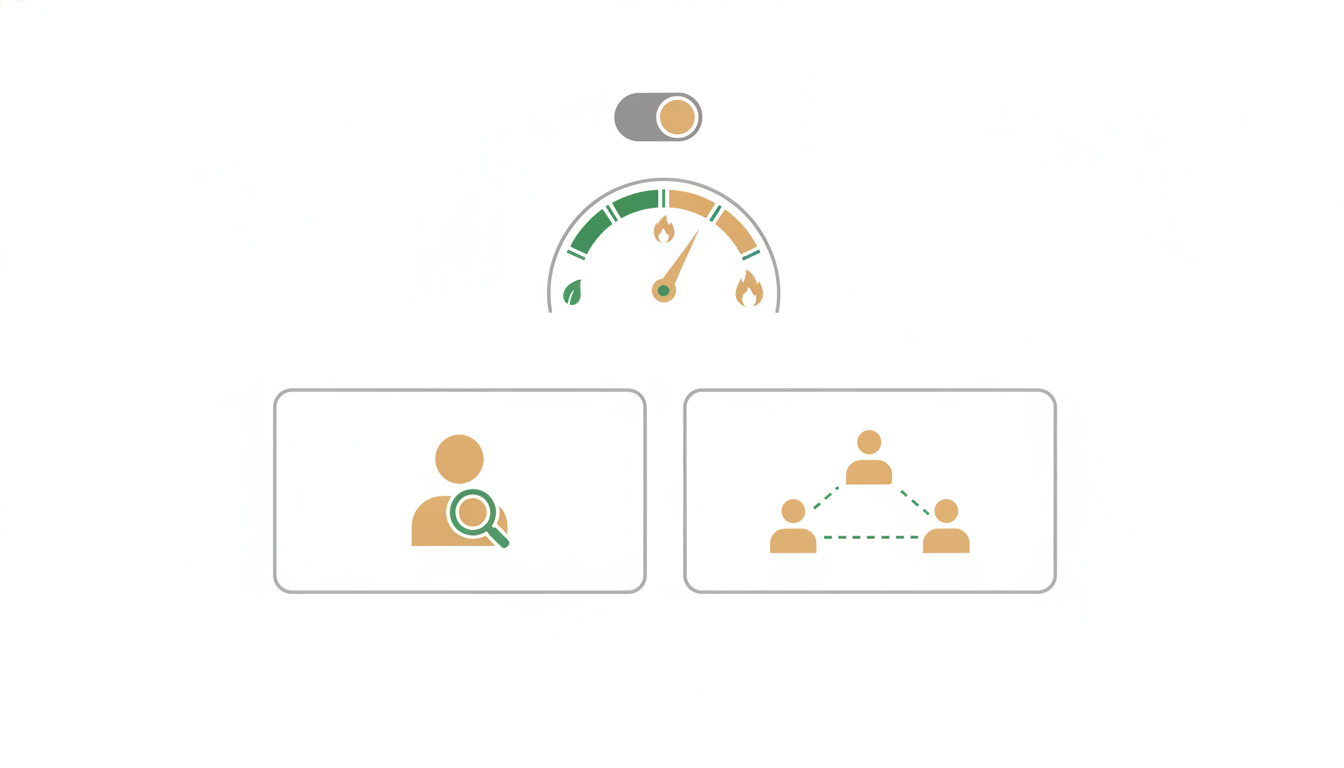
One picker above the message box controls three things: Model — which AI answers you; Mode — whether one agent or a coordinated swarm does the work; and Effort — how hard Alfrada OS double-checks its own output before you see it. Leave all three on Auto and you never have to think about any of this. This page is for when you want control.
Model and Effort are picker controls, not chat commands: the agent can't switch its own model or Effort mid-conversation. Change them in the picker above the message box, then send the next message — for example, pick Claude Sonnet 5 - Reasoning and send:
Redo the last answer with deeper reasoning — same question, but show your working and challenge your own first draft.The new model takes over from the next message; earlier turns stay as they were.
Or leave the model on Auto, move Effort to Beast in the same picker, and send:
Produce the final version of this deliverable. Review it against the brief before you show it to me and fix anything that doesn't hold.Beast keeps reviewing and revising until the rubric clears; on Auto it also reaches for a top-tier model.
The Picker At A Glance
Open the model selector in the chat input. At the top you get a controls strip with two rows:
- a Mode row —
Auto/Agent/Swarm - an Effort row —
Auto/Fast/Medium/Beast, with the helper line: "How thoroughly Alfrada OS double-checks its own work — separate from the model you choose."
Below that sits a search box, then category tabs: Recommended (the default shortlist), plus Fast, Open SOTA, and Closed SOTA for browsing the full catalog.
One special case: pick Swarm and the model and Effort controls grey out, with a note explaining why — "Swarm orchestrates its own models per agent — model and performance settings don't apply here."
Choosing A Model
The Recommended tab is a seven-model shortlist that covers most jobs:
- Claude Opus 5.5 — Anthropic's latest Opus: long-running agentic coding and knowledge work at SOTA 12×. Opus 5 is retired; pinned chats roll forward.
- GLM 5.3 — Z.ai's value flagship for coding and long-horizon agents, at a lower rate than Claude Opus 5.5.
- GPT-6.1 Sol — OpenAI's newest Sol: close to GPT-6 Astra on agentic coding and professional work, for complex reasoning and multi-step agents at Premium 6×. GPT-6 Sol (and GPT-5.6 Sol before it) is retired; pinned chats roll forward.
- Gemini 4 Argon — Google's flagship reasoning model: 1M context, 65K output, multimodal input, at Premium 6×.
- Kimi K3 — Moonshot's open-weight multimodal reasoner, 1M context, pinned to Zero Data Retention hosting.
- Grok 4.7 — xAI's smartest model on a Workhorse 3× band, ZDR-pinned. Succeeds Grok 4.6, which is retired.
- DeepSeek V4.1 Flash — DeepSeek's newest Flash: 1M context, Budget 1×, ZDR-pinned. Replaces Gemini 3.8 Flash on this strip; Gemini stays fully selectable under Fast.
GPT-6 Astra stays under Closed SOTA. Pin it there when the job deserves OpenAI's Apex flagship.
A simple rule of thumb:
- use faster models for iteration, triage, and lightweight drafting — Claude Haiku 5.5 is the Fast-tab pick for that, at Budget 1×, with a 1M context window on Amazon Bedrock
- use stronger models for synthesis, reasoning-heavy analysis, and polished deliverables
- switch models mid-session whenever the work changes — you keep the whole conversation
Claude Haiku 5.5 runs on Amazon Bedrock. EU Data Residency keeps it on the EU geo profile. Bedrock zero data retention covers it when the account retention mode is none. Prompts over 100K input tokens cost more at Anthropic; Alfrada OS bills the standard Budget rate.
Model Notes: Nemotron 3 Ultra
One Open SOTA pick fills a niche worth naming: long, organized, multi-step projects that don't justify flagship pricing. Search for it — it is not on the Recommended strip.
Nemotron 3 Ultra is built for planning-heavy work — coordinating research, analysis, and deliverables while keeping track of a moving plan across many tool runs. It's a 550-billion-parameter open-weight model (a hybrid Transformer-Mamba mixture-of-experts) that activates only 55B of those parameters per request — which is how it delivers that planning depth at the workhorse (3×) band instead of a 12× flagship rate. In Alfrada OS it reads up to 256K tokens of context — enough for long briefs, big source sets, and a plan that evolves as the session runs — it can lead or work inside a Swarm, and it's pinned to Zero Data Retention hosting.
If EU data residency is your requirement, pick Nemotron 3 Super 120B (the Bedrock route with the blue EU dot) — the smaller, EU-hosted sibling.
Nemotron 3.5 Super VL is the newer Super, on OpenRouter at Budget 1×. It is a 120B / 12B vision-language model: text, images, documents, and video, 256K context, pinned to Zero Data Retention. AWS does not host this generation, so EU residency still means Nemotron 3 Super 120B. Ultra stays the 550B planner.
Pick Nemotron 3 Ultra in the picker, then:
Build a step-by-step launch plan for [product]. Research the market, map the buyer, identify risks, then produce a memo and a slide outline. Keep the plan visible as you work.Nemotron is a good fit when the session needs planning, research, synthesis, and multiple deliverables.
Auto — What It Actually Does
When your model is set to Auto, Alfrada OS reads each message — how long it is, whether files are attached, which tools the task needs, how complex it looks — and decides how capable a model that turn deserves. It then picks the cheapest model above that quality bar whose provider is currently up and healthy. And it never downgrades you mid-conversation: once a session has used a stronger model, Auto won't drop below that level for later turns.
On Community, everyday asks can still land on a budget model such as Gemini 3.5 Flash-Lite. On Pro, Pro Max, and Black, Auto never uses a budget model — it picks the cheapest healthy model whose quality score is 60 or above.
Why you should care: you get a capable model on paid Auto without touching the picker, and Community still keeps the cheap default for small asks.
Effort — How Hard Alfrada OS Checks Its Own Work
Effort is separate from the model. It controls how thoroughly Alfrada OS reviews and revises its own output before showing it to you. The four options, exactly as the picker describes them:
| Option | What the picker says |
|---|---|
| Auto | "Alfrada OS picks the best model and effort for each turn" |
| Fast | "No self-review — fastest. On Auto, the best budget model for the job" |
| Medium | "One self-review-and-revise pass. On Auto, a workhorse model" |
| Beast | "Reviews and revises until it passes (capped). On Auto, a top model, and grades any charts/images" |
Effort does two independent things:
- On any model, it sets how deep the self-review loop goes — from none (Fast) to review-and-revise-until-it-passes (Beast).
- On Auto, it also nudges which model gets picked: Fast leans budget, Medium leans workhorse, Beast reaches for a top model.
Your Effort choice is remembered per session, so a deliverable-grade conversation stays on Beast until you change it.
Agent vs Swarm
- Agent — one conversation thread does the work. It can still delegate: within a turn it can hand pieces of the job to parallel sub-agents through Smith, then fold their results back into the same thread.
- Swarm — a planner drafts a multi-worker plan for you to review, then coordinated workers run in parallel, each assigned its own model by the planner. What makes Swarm different isn't parallelism — Agent mode has that too — it's the planner, the plan review, and the per-worker model choices.
Rule of thumb:
- If you can describe the task as one main line of work, start with
Agent. - If it naturally breaks into research, critique, synthesis, and output roles, use
Swarm.
The agent itself can suggest Swarm mid-task when it sees the shape of the work. Nothing switches without a consent banner — you click, or it doesn't happen. You can change how that works at Settings → Agent Behavior → Safety → Switching to Swarm mode: Ask (the default), Always allow, or Never.
For the full Swarm story — plans, workers, costs — see Swarm.
What Models Cost You
Every model carries a multiplier — a token band — applied to the tokens it burns from your monthly budget:
| Band | Multiplier |
|---|---|
| budget | 1× |
| light | 2× |
| workhorse | 3× |
| plus | 4× |
| premium | 6× |
| sota | 12× |
| apex | 18× |
| overkill | 24× |
| background services | 0× |
A 12× model isn't 12× better — pick it when the task deserves it. Background services (like titling and memory upkeep) cost nothing. Your current balance and what each turn cost are in Settings → Account → Usage & Plan.
Plans And Auto's Range
On Community, unreviewed accounts can only use Budget 1× models — Auto, Swarm workers, and the picker all stay inside that ceiling until review approval or a purchase. On Pro, Auto picks from a curated pool of cost-efficient models (mostly 1×–3×, plus GLM 5.3 at Premium). On Pro Max and Black, Auto is unrestricted across the rest of the catalog. Two Closed SOTA models stay manual picks: Claude Fable 5.1 (non-ZDR) and GPT-6 Astra (Apex 18×). Paid plans still refuse budget models and anything below quality 60, so Pro Auto will not drop to Flash-Lite even on a short prompt.
Manual picks follow the same Community ceiling: a locked Workhorse or SOTA model stays locked until the account is approved or someone buys a pack. Paid plans can pin any model they can see. The Fast tab includes GLM 5.3 Flash (Budget 1×, native image input, direct Z.ai) and DeepSeek V4.1 Flash (Budget 1×, ZDR-pinned OpenRouter). Community Auto can pick GLM 5.3 Flash; paid Auto skips it because quality 58 sits under the paid floor of 60. DeepSeek V4.1 Flash is quality 60 on the workhorse Auto tier, so Auto can route to it on every plan — pin it when you want this Flash every turn.
Gemini 3.8 Flash is the long-horizon Flash pick: 1M context, 65K output, multimodal input, tools, structured output, caching, and medium reasoning by default at Workhorse 3×. It works inside Swarm, and at quality 60 it sits exactly on the paid Auto floor, so Auto can route to it on every plan — pin it when you want Google's newest Flash every turn.
Gemini 4 Argon is Google's flagship reasoning pick: 1M context, 65K output, multimodal input, tools, caching, and medium reasoning by default at Premium 6×. It works inside Swarm, and at quality 66 it clears the paid Auto floor, so Auto on Pro Max and Black can route to it. Pro's Auto stays inside its curated pool, so pin it there when you want it.
Pinned Models Never Strand You
When a model is retired, sessions pinned to it roll forward automatically to its successor — no re-pin, no migration step. Real examples:
- Gemini 3.5 Flash, Gemini 3.6 Flash, and Gemini 3.7 Flash → Gemini 3.8 Flash
- DeepSeek V4 family → Gemini 3.8 Flash
- Claude Opus 4.8 and Claude Opus 5 → Claude Opus 5.5
- Claude Fable 5 → Claude Fable 5.1
- GLM 5.2 → GLM 5.3
- GPT-5.6 Sol and GPT-6 Sol → GPT-6.1 Sol
- GPT-5.6 Luna → GPT-6 Luna
Retired entries even say so in the picker: "Retired — sessions pinned here roll forward to …".
Labels You'll See On Models
- EU (blue residency dot) — an EU-hosted route, e.g.
MiniMax M2.5,Nemotron 3 Super 120B, andKimi K2.5on Bedrock (London),Qwen3.8 Maxon Alibaba's EU endpoint, and the zero-retention Claude models: Opus 5.5, Sonnet 5.5, Sonnet 5, Sonnet 4.6, and Haiku 5.5. With EU Data Residency on, those Claude models use theeu.Bedrock profile. The dot is the residency signal; the name no longer carries an[EU]suffix. - Global (grey residency dot) — the worldwide route for the same model family, e.g.
MiniMax M2.5via OpenRouter,Nemotron 3 Ultra. Where a family has both routes they share a name and are told apart by the dot. - Zero Data Retention (ZDR) — every request is pinned to endpoints that never retain your data. All live OpenRouter-routed models are ZDR-pinned with tool support.
One deliberate exception: Claude Fable 5.1 is explicitly labeled non-ZDR — the picker warns that inputs and outputs may be retained for safety review — so avoid sending sensitive data to that one model.
Wondering how each model actually performs on real Alfrada OS jobs? See the public benchmark study: Can It Run Alfrada?
For The Curious
Under the hood: identifiers and tiers
The seven Recommended models, by internal model path:
| Picker label | Model path |
|---|---|
| Claude Opus 5.5 | anthropic:claude-opus-5-5 |
| GLM 5.3 | z_ai:glm-5.3 |
| GPT-6.1 Sol | openai:gpt-6.1-sol |
| Gemini 4 Argon | google_genai:gemini-4-argon |
| Kimi K3 | openrouter:moonshotai/kimi-k3 |
| Grok 4.7 | openrouter:x-ai/grok-4.7 |
| DeepSeek V4.1 Flash | openrouter:deepseek/deepseek-v4.1-flash-1017 |
Auto's internal capability tiers are named budget, workhorse, and sota. When your model is Auto, the Effort setting biases which tier the router targets: Fast → budget, Medium → workhorse, Beast → the top tier.