
Memory
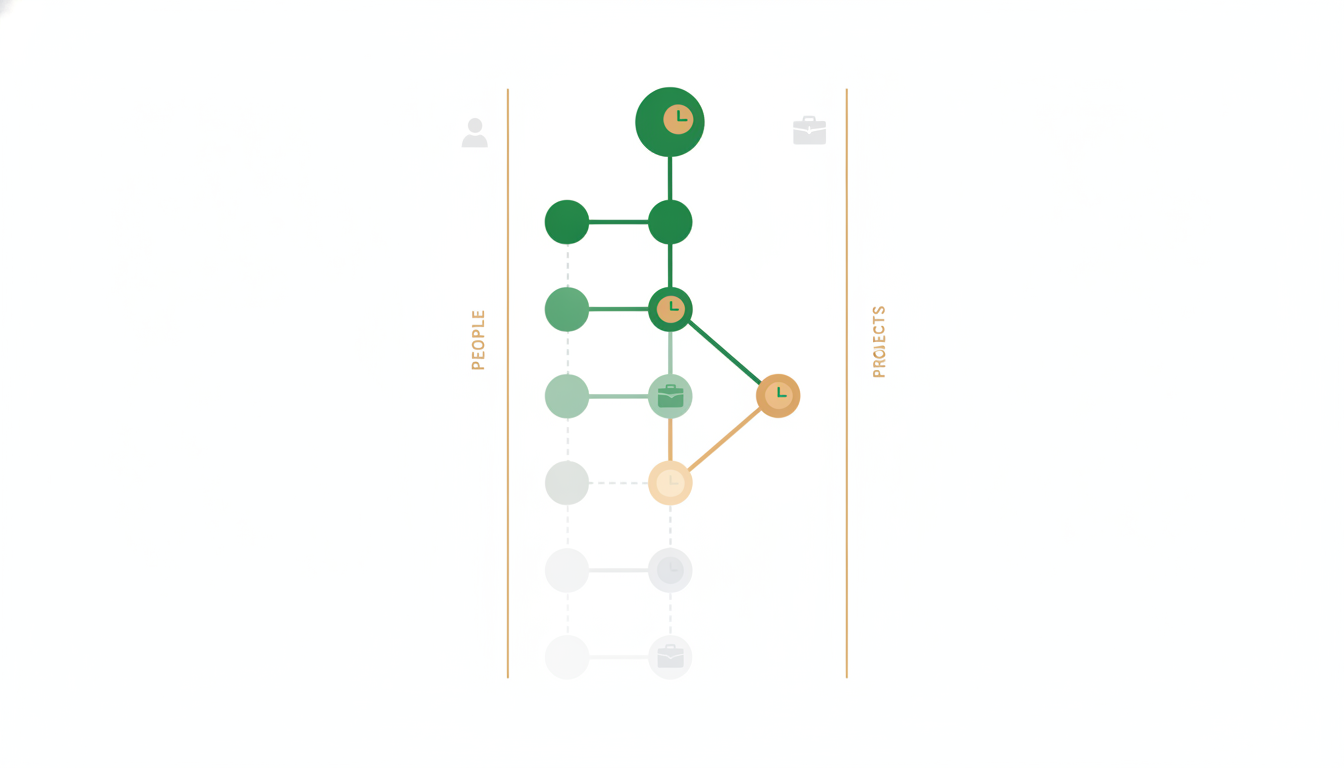
Memory is the part of Alfrada OS that helps work compound instead of reset. In the app this lives under the name Agent Intuition.
Tell Alfrada OS something once — how you like reports formatted, who your clients are, what your business does — and future conversations start already knowing it. This page covers what gets remembered, where to see and change all of it, and how to get the most out of it.
Two Different Memory Surfaces
The easiest way to understand this part of the product is to separate two things that often get blurred together:
- Agent Intuition: structured memory and playbooks that represent durable context
- History Search: searchable conversations and files from earlier sessions
Both matter. They solve different problems.
Use Agent Intuition for what should stay true over time. Use history search when you want to recover an older file, revisit a previous thread, or continue work from an earlier session.
In practice, durable memory is best used for:
- durable rules about how you like work done
- stable personal or business context that helps Alfrada OS reason better
- domain definitions, preferences, and recurring review standards
- playbooks that capture repeatable ways of working
This is why the system gets stronger with repeated use. It is not just remembering a chat. It is learning the working patterns that are worth carrying forward.
Where The Switch Lives
Everything memory-related is controlled from one place: Settings → Agent Behavior → Intuition.
The panel is headed Agent Intuition — "What Alfred and Ada have learned about working with you" — and gives you full control:
- an on/off toggle at the top right — off means nothing new is remembered and nothing stored is used
- a trash button beside it that deletes every stored memory at once
- three tabs: Memories, Playbooks, and Semantic Map
Nothing about you is hidden away in the system. Every fact Alfrada OS carries between sessions is visible in this panel, and you can edit or delete any of it. If you want less persistence, turn it off. If you want more continuity, keep it on and actively refine what gets remembered.
What Happens When It Is On
When Agent Intuition is enabled, Alfrada OS can proactively pull in useful long-term context at the start of a run.
That can include:
- relevant recall memories
- your available playbooks
- helpful prior file or session context when continuity matters
This is one reason the product feels different from a blank-slate chatbot. The system can begin with memory, history, and workflow context already in play instead of waiting for you to restate everything manually.
Memory Keeps Its Receipts
Facts about you change: you move, projects end, preferences evolve. Alfrada's memory doesn't just store the latest version — it records how things changed, so you can always check where a "fact" came from and what it replaced.
Open the Memories tab and you'll find two views, switchable at the top:
Timeline shows every change to what Alfrada OS knows about you as a dated entry, newest first. Each entry carries small markers for what happened:
- + something new was learned
- ~ a fact was corrected and replaced by a newer version
- − a fact was removed or no longer holds
- ± a fact was edited in place
Each entry also says where the change came from — learned from chat, saved by agent, edited by you, or mined from history (a background sweep of your older conversations).
The important part: corrected facts are superseded, not erased. When your address changes, the old address doesn't vanish — it stays visible, crossed out, with the dates it was true. Every fact has its own full version history: click the history button beside it to see each version, when it held true, and who changed it. You can edit or delete any fact right there.
Entities shows the same knowledge organized by who and what it's about: a lane for each person, company, place, or project Alfrada OS knows, with that entity's facts ordered by when they were true. It's the quickest way to answer "what does Alfrada OS actually know about my co-founder / my main client / this project?"
Both views load more via Load older history. And the first time your account gets this feature, Alfrada OS rebuilds the timeline from your existing chat history — a one-time pass that runs quietly in the background, costs you nothing, and resumes on its own if interrupted.
Why this matters: you can trust memory precisely because you can audit it. If Alfrada OS says something outdated, you can find the stale fact in seconds, see where it came from, and fix it — instead of wondering what the machine "thinks" about you.
The Semantic Map
The third tab, Semantic Map, is a visual map of your memories and conversations, clustered by theme. Related items sit near each other, so you can see at a glance which parts of your life and work Alfrada OS knows most about. You can switch between a cluster view and a neural-style view, and download the picture as a PNG.
How Remembering Actually Happens
When Alfrada OS wants to save, change, or look up a memory, it does so through a small set of dedicated tools — which means you may see these names in approval prompts, exactly like any other action the agent takes. A save must include the kind of memory and the text together, so an entry either lands completely or fails loudly — no half-saved memories.
Under the hood: the five memory tools
memory_search— look up or list stored memoriesmemory_create— save a new entrymemory_update— revise an existing entrymemory_delete— remove an entryplaybook— read, create, or update a reusable workflow guide
A create call must carry the namespace and content in one step; if anything is missing the save fails with a clear message rather than storing a partial entry.
Three Kinds Of Memory
Every entry belongs to one of three groups — you'll see these labels on entries:
- Rules (
user_rule) — standing preferences about how you like work done: "always quote prices in GBP", "reports open with a one-paragraph summary" - Your story (
life_story) — your own history and events, which can carry a date: "founded the company in December 2024" - Your world (
world_info) — facts about the people, companies, and projects around you
You don't need to manage these groups yourself — Alfrada OS files each memory automatically — but knowing them helps you read the Memories tab.
Remembering Is Free
Every memory operation — saving, searching, updating, deleting, and working with playbooks — costs nothing, on every plan. Letting Alfrada OS remember never eats into your budget, so there's no reason to keep Intuition off for cost reasons.
The Digital Twin
The fastest way to seed memory is the guided setup interview, called the Digital Twin in the app. Alfrada OS interviews you about your work, preferences, and context, and turns the answers into structured memories — so you start with a rich profile instead of building one chat by chat.
You only do the interview once. If you stop partway, the app offers to pick up where you left off. And when your profile hasn't been updated in a while, a Refresh Digital Twin banner appears offering a quick tidy-up — worth accepting a few times a year, since stale context is worse than no context.
Recall Across Workspaces
If you organize chats into Spaces — themed workspaces, covered on the Chat And Sessions page — each chat automatically sees only its own Space's context. That keeps work cleanly separated: your investing chats don't bleed into your marketing chats.
When you do want to reach across, just ask by name:
What did I figure out about vector databases in my Learning AI workspace? Pull the key decisions into this chat.Naming the other workspace tells Alfrada OS to deliberately fetch a focused summary from it — cross-workspace recall happens only when you ask, never by accident.
Under the hood this uses a dedicated tool, search_other_spaces, which searches your other workspaces' summaries and brings back only what matches.
Playbooks Are A Core Part Of This
Playbooks are not an afterthought. They are one of the most important ways Alfrada OS turns good work into repeatable work.
The product ships with a substantial set of playbooks covering real jobs such as:
- deep research
- Google Workspace work across Docs, Sheets, Slides, Drive, Gmail, and Calendar
- presentation craft and strategy
- Canva design work
- live dashboards
- document analysis
- portfolio and market monitoring
- scheduled automation
- bug testing and code audit
- creative media — video, image, music, narration
When Agent Intuition is on, Alfrada OS can scan the available playbooks, open the one that matches the job, and use it as working guidance. Over time, playbooks can also be updated or newly created as your team develops better patterns.
How History Search Complements Memory
History Search is the recovery layer.
It is what you use when you want Alfrada OS to:
- find an older file
- search across previous conversations
- resume a project from where it last stopped
- pull back the full conversation from an older thread
- list files from another session so you can reuse them
This matters because continuity in Alfrada OS is not magical guesswork. It is a combination of durable memory and searchable history.
Search my conversation history and find `syz.docx`. I think this was about 5 days ago. Pull the relevant context into this session and tell me what it was about.This is a good example of using history search for a concrete artifact rather than trying to remember everything yourself.
Search my conversation history for the last time we worked on [project or client]. Summarize where we left off, what files mattered, and what the best next step is.Use this when the work lives across sessions and you want continuity without restarting from zero.
What To Store
Store things that are stable and helpful:
- preferred output formats
- recurring business context
- domain-specific definitions
- house style and review criteria
- repeatable ways your team likes to run common workflows
What Not To Store
Avoid cluttering memory with:
- one-off task details
- temporary preferences
- sensitive information that should not persist
- artifacts that belong in searchable history rather than durable memory
A Simple Working Rule
Use the right layer for the right job:
- put stable truths and durable preferences into memory
- use playbooks for workflows you want repeated
- use history search for older files, previous drafts, and past sessions
- keep current execution details inside the live session
Practical Tip
If you notice yourself repeating the same framing across multiple sessions, that is a strong sign the pattern belongs in memory or a reusable playbook.
If you are repeatedly asking “where did we leave this?” that is usually a sign to use history search more deliberately.
Appendix: where these facts come from
- Timeline, per-fact version history, and entity lanes shipped July 5, 2026 — see Memory Now Remembers How Things Changed.
- The five focused memory tools and the all-or-nothing save rule shipped June 28, 2026 — see Memory & Playbooks, Now Focused Tools.